Quick Start
Install AutoX
As the compiled autox package is hosted on the Python Package Index (PyPI) you can easily install it with pip
pip install automl-x -i https://www.pypi.org/simple/
or
$ git clone https://github.com/4paradigm/autox.git
$ pip install ./autox
Before boring yourself by reading the docs in detail, you can dive right into AutoX with the following examples:
Binary classification example(Transaction Prediction)
We are provided with an anonymized dataset containing numeric feature variables, the binary target column, and a string ID_code column. The task is to predict the value of target column in the test set.
print(train.head())

print(test.head())

print(train.shape(), test.shape())
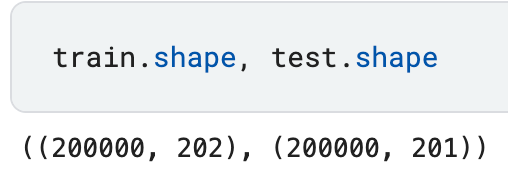
We build the automl pipeline with AutoX as following:
from autox import AutoX
path = f'../input/santander-customer-transaction-prediction'
autox = AutoX(target = 'target', train_name = 'train.csv', test_name = 'test.csv', id = ['ID_code'], path = path)
sub = autox.get_submit()
sub.to_csv("./autox_Santander.csv", index = False)
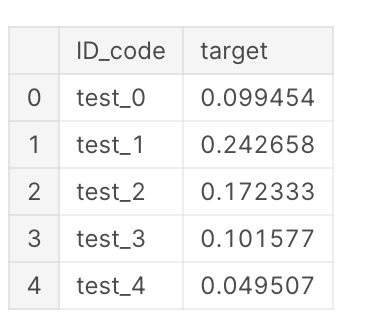
We get a pandas.DataFrame sub which has the same number of rows as test.
print(sub.shape(), test.shape())
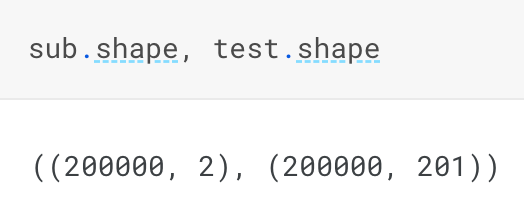
print(sub.head())
You can execute this example with this link: santander-autox.
Regression example(House Prices)
With 79 explanatory variables describing (almost) every aspect of residential homes in Ames, Iowa, we need predict the SalePrice of each home.
print(train.head())

print(test.head())

print(train.shape(), test.shape())
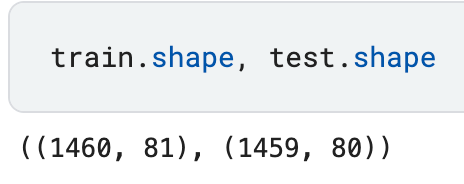
We build the automl pipeline with AutoX as following:
from autox import AutoX
path = '../input/house-prices-advanced-regression-techniques'
autox = AutoX(target = 'SalePrice', train_name = 'train.csv', test_name = 'test.csv', id = ['Id'], path = path)
sub = autox.get_submit()
sub.to_csv("submission.csv", index = False)
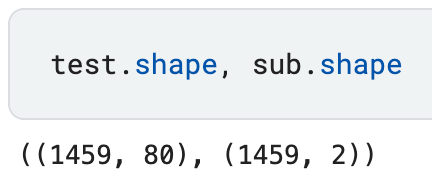
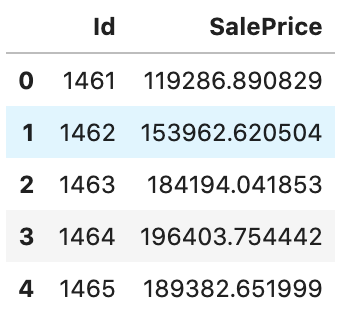
We get a pandas.DataFrame sub which has the same number of rows as test.
print(sub.shape(), test.shape())
print(sub.head())
You can execute this example with this link: house_price-autox.